I think my experience with Wampserver may clear some bottleneck which may drive web development newbie to crazy. I thought of trying out the wampserver 2.0 in vista. However i have already tried, but it didn't work properly as it should. After installing the Wampserver, I tried to request the http://localhost. But was thrown back with an error.
The important issue which ran to me was that “Why not the IIS may block the port on 80?” This question brought me hope to solve the technical mystery. I disabled the IIS services from the windows component, later restarted the apache server. I was able to get what I wanted.
Hope this solves to people who faced the same error like me.
Showing posts with label Software. Show all posts
Showing posts with label Software. Show all posts
Wamp in Vista: My Experience
On
10:05 PM
0
Responses
Mozilla : TAB CANDY
On
11:59 AM
0
Responses
It is on the top hit list on the developer’s arena. The Mozilla tab candy. My friend Voytek showed me the video about the tab candy project. I was awestruck and couldn’t even think how that was possible for the developers to think in tat perspective. All I can say is that they got a hell lot of brain. Okay enough dancing; let’s come to the details about the functionality of the “TAB CANDY”.
Actually it’s in the alpha stages right now. Hopefully it will be completely released in the Mozilla 4. Earlier browsers made it easy for the user to open multiple tabs in the same browsers, so that we may not have to navigate between windows. Though it was promising in the very beginning, the browser got cluttered with many tabs which introduced a little chaos in managing every tab. This issue was seriously taken up by the community which gave birth to tab candy effect. It allows to group more than one tab into a single tab. For example, suppose you are in a hectic quest on finding in buying a new laptop, you might have opened Dell, Sony, Acer, Hp, Lenovo etc. Simultaneously you wanted to open your mail box read the current news and some other pages. Now think of the situation how many tabs you might have opened. Now the tab candy comes handy, where you can group the entire Laptop search in the single tab called as LAPTOP and you can leave the rest as it is, so that you can clearly handle all the tabs easily. When you click on the master tab LAPTOP you might see the all the sister tabs which was grouped in that.
Another amazing factor introduced is the sharing a group of tabs with Mozilla sync. When some of your friends are working on a research project then you can share all your research done in the web with your friends by sharing the tab on which you are working on and similarly you can access your friends. Everyone is looking forward to the tab candy in live action.
Browser Wars: A New Hope
On
10:49 AM
4
Responses

INTRODUCTION
While issues like Net Neutrality remain a hotly debated issue among us NetNerds™, there are the majority of "netizens" who aren't as tech savvy and couldn't give a damn about things like standards compliance, JavaScript load times and fancy page element Inspectors in their everyday browsers.
Which is why if one were to make a decision on which browser to use based solely on things like full blown detailed browser benchmarking, then one might as well buy a car based on the size of it's fuel tank.
So for the purpose of simplicity and ease of understanding, this browser comparison (for the Windows platform), is going to be on the basis of installation, ease-of-use, and other general parameters.
DISCLAIMER
At the time of writing the latest versions of the 5 most popular Windows browsers are as follows:
- Internet Explorer 8.0.6
- Mozilla Firefox 3.6.3
- Apple Safari 4.0.5
- Google Chrome 4.1.249
- Opera 10.51
NOTE: I'm not exactly biased toward any one browser, though as I say that, I'm writing this on Mozilla Firefox and I have been accused in the past of being an unabashed Apple fanboy. So if you find any bias in this review, well then, tough.
1: INSTALLATION
 Size Does Matter
The Installation round easily goes to Google's Chrome. Unless you've had Internet Explorer 8 installed by sodding Automatic Updates (which I highly recommend you turn on, by the way), Chrome's super easy installation will delight the average user who couldn't care less about where the install directory could be or where he should save the installer file. That's because the Google Chrome Installer is actually a 500 something KB file downloaded to the user's machine which then phones home the Google servers and then downloads the actual Chrome browser. While this may infuriate advanced users who like having the entire setup file and have a severe hatred of anything that doesn't allow them to set the Install Path (Eg: C:\Program Files\), the average user I'm sure will appreciate the ease with which with a couple of clicks gets the browser installed and ready to go.
Second, is Mozilla's Firefox. A few clicks on Mozilla's home page will get you the nearly 8 MB Firefox Installer which then asks a few routine questions before quickly setting up your browser. If you're a novice user, you can simply check the Automatic Installation option and avoid being asked unnecessary questions like installation directories and such.
Third is Opera Software's browser. Third because it needs a couple more clicks on the Opera site to bypass accidentally downloading Opera Mini for your phone and also because the Installer is a little larger at 9.3 MB, but really I'm nitpicking here, because to setup it's almost as easy, if not easier than Firefox and requires even less supervision than Mozilla's offering.
The absolute travesty of an installer here, is Apple's Safari. Not only is the browser's installation file a whopping 31 MB, but if you want the ridiculously useless QuickTime for Windows with it, then the Installer bloats to a truly colossal (for a browser) 50 MB! Added to that, during installation, the browser automatically enables the option to install Bonjour (an unnecessary network file sharing discovery utility) and whether you like it or not, installs Apple Application Support and Apple Software Update as separate utilities.
Google Chrome: http://www.google.com/chrome
Mozilla Firefox: http://www.mozilla.com/en-US/firefox/personal.html
Opera: http://www.opera.com/download/
Apple Safari: http://www.apple.com/safari/download/
Windows Internet Explorer: http://www.microsoft.com/windows/internet-explorer/
2: USER INTERFACE
Unless you've been living in a hole or a third world country without Internet (which is pretty much the same thing) for the last ten years, then I don't have to explain in detail to you the basics of a browser's interface: There's the Back/Forward/Home/Refresh button set at the top left, then a large white text box called the address bar ("Awesome Bar" in Firefox) and depending on your browser, a little search box on the upper right hand side. No browser featured in this comparison appears to want to mess with this standard template; with the exception of Google Chrome's Address Bar/Search Bar rolled up into a single text box.
For the sake of simplicity, let's dissuade further comparison of each browser's aesthetics and leave it to individual choice to decide which one looks best. With the screenshots though are a few points to note about each browser's interface.
GOOGLE CHROME
 Clean, Spartan UI
- Simple, clean, bare-bones interface.
- Thin window borders maximize web page area.
- Intelligent "tabs-on-top design" removes need for a space wasting title bar.
- When maximized, tabs move to top of the screen to give largest screen space for the web page.
- Menu bar integrated into the two icons next to Address Bar.
- Windows Vista, 7 get full transparent window borders.
MOZILLA FIREFOX
 Strictly Professional
- Another clean interface style that has Windows Native integration
- Tab Bar and Title Bar display same information and feel superfluous.
- Navigation section takes up more space and leaves less space for web pages (NOTE: Menu Bar minimized in Screenshot)
- Interface can be greatly customized with add-ons to be better than the other browsers.
OPERA
 Smart And Functional
- Chrome-esque design is actually an evolution of Opera's own UI design.
- Menu bar options are neatly packed into red Opera logo at the top left of Title Bar (as in Office 2007 and Windows 7)
- Windows Vista, 7 get full transparent window borders that look great unlike the Windows XP version featured here.
- Speed Dial feature is native to Opera and a great innovation (Not pictured here)
- As in Chrome, when maximized tabs move to top of the screen to give large screen space for the web page.
APPLE SAFARI
 Oh So Fancy
- Interface, unusually for an Apple product, is lackluster and feels like a mash of Internet Explorer and Google Chrome.
- Cover Flow view, as in iTunes, feels completely unnecessary and overly superfluous to browse History and Bookmarks.
- Thin Navigation bar is a boon and gives center stage to the web page.
- The unnecessarily effects heavy features of Top Sites (Similar to Speed Dial) demand very high graphics capability.
- Inconsistent interface feels labored and slow to user response.
WINDOWS INTERNET EXPLORER
 As Plain As Porridge
- Standard template of browser design used in latest Internet Explorer.
- Interface feels surprisingly nippy and is pleasing to look at.
- At the same time, there's nothing revolutionary about the UI.
3: FEATURES AND FUNCTIONALITY
I'm sorry, but Firefox wins this one without the race even starting. There's just no way for the other browsers to compete. The master stroke that Mozilla's baby pulls off here is that it's Open Source, which means anyone is free to add, modify the browser's code to extend or alter it's functionality. This means there are tons of, quite frankly, brilliant "Add-ons" for the browser which add features that can only be explained/experienced by heading over to: https://addons.mozilla.org/en-US/firefox/
Finishing second in this round is Google's Chrome. Chrome only recently acquired the "Extensions" feature which can change the browser's functionality according to the user's whim, but it's extension count doesn't even compare to Firefox. Yet. https://chrome.google.com/extensions
Opera is next up, and while it may not have any extensions to speak of, out of the box, it already possesses some really neat features like Mouse Gestures, Opera Turbo (which speeds up load time by compressing images and graphics) and a rather large amount of Appearance customizability.
Finally, in joint last place in this round, are Apple's Safari and Windows Internet Explorer. Both the browsers have absolutely no saving grace in feature list extensions. This despite Apple's bold claim that there are "over" 150 improvements in this version of Safari. The key I think to these browsers' failure is that they both come pre-installed with OSes (Safari with Apple's Macintosh OS X and Internet Explorer with Microsoft's Windows line). Consequently, these browsers haven't had to actually work for market share. As a result, they've become the fat lazy bloated pieces of software they are; Always in the protected patronage of their parent companies who hug on to their source code like little girls who're afraid of the dark and hug on to their teddy bears.
4: CONCLUSION
Personally, I think it's highly unfair and presumptuous if I were to pick a "best" browser out of the 5 contenders. More likely, I would pick the one "I" find best. So to simplify your decision, I'm going to categorize the browsers into the user group it's most likely to please.
If you're:
The discerning web user/developer who tears web pages apart by examining their each element and customizing it, dresses your browser up like a drag queen, opens 5 billion tabs at once and uses every toolbar known to man; you want Mozilla Firefox/Opera.
The novice who just goes on the Internet to check their e-mail, occasionally watch some YouTube videos and maybe glance at some photos online once in a while; you want Google Chrome.
The egotistic maniac who wants web pages to look good and yourself to look good while browsing them or if you have a penchant for ostentatious things or if you own a super car and have a supermodel girlfriend; you want Apple Safari.
The kind of user who doesn't know what broadband means, can't bother with things like installing and have doubts as to what you're doing on this page; you want (and probably have) Windows Internet Explorer.
So there you have it, My C: Drive's comprehensive guide to web browsers. Coming soon, a look at Mac and Windows applications on each others platforms.

Hey guys, by my reckoning I guess it’s a quite a lot of time since I posted. Well there has been a lot of improvement in the computer industry. I write this post because I was inspired by the recent release of the Firefox 3.6. Even though I am on the edge to run over my free traffic assigned by my ISP the curiosity which i had made me to check what the difference has the Mozilla has done in this release. It took some time to download, I am grateful as my connection didn’t break up in the middle abruptly, which happens to me all the time when I am on a new venture. Gasp! First screen splashed was the add-ons which won’t work in this version. Never expected that first screen would be negative, but never mind.
The Firefox 3.6 started instantly and the browsing speed has considerably increased. They have advanced font rendering system, which is destined to download and use the font which we don’t have. Intelligent address bar remembers and also predicts the URL which is considered to be important. The security features are given more importance. The browser detects websites which are harmful and prevent access instantly. Moreover it allows our anti-virus to scan the file once the download gets completed.
The interface has improved appreciably. The new release comes with the module called as “Persona” which is my special interest. It is capable of changing the background of the menus including the bookmarks and the tabs. There are quite a lot of persona available which could be added according to your choice. The Persona has been made as open source and we shall see how it gets a part of Firefox in the days to come.
The Firefox 3.6 started instantly and the browsing speed has considerably increased. They have advanced font rendering system, which is destined to download and use the font which we don’t have. Intelligent address bar remembers and also predicts the URL which is considered to be important. The security features are given more importance. The browser detects websites which are harmful and prevent access instantly. Moreover it allows our anti-virus to scan the file once the download gets completed.
The interface has improved appreciably. The new release comes with the module called as “Persona” which is my special interest. It is capable of changing the background of the menus including the bookmarks and the tabs. There are quite a lot of persona available which could be added according to your choice. The Persona has been made as open source and we shall see how it gets a part of Firefox in the days to come.
Kaspersky Six Month License For FREE
On
12:42 AM
0
Responses

hey guys another scrumptious promotion to bite into ,except this is on the Chinese msn all you have to do is click this link go to the website and press the huge orange button you need to enter your live id and password and viola you will have your key mailed to your account and you can enjoy six months of kaspersky for free .you can download the virus suite here some features of kaspersky are
- Fully Automated Real-Time Protection
- Real-time scanning of files, web pages and e-messages
- Identity theft protection
- Color-coding of links to unsafe websites
- Disabling of links to malicious websites
- Blocking of suspicious programs based on their behavior
- Protection from hijacking of your PC
- Self-protection from Malware
- Regular and emergency updates for always-on protection
- Kaspersky Toolbar for Internet browsers to warn you about infected or unsafe websites
- Basic identity theft protection, including improved secure Virtual Keyboard
- Urgent Detection System to stop fast emerging threats
- Next generation proactive protection from zero-day attacks and unknown threats
- Pecial Game Mode to suspend alerts, updates and scans while you play games
- Enter logins and passwords using secure Virtual Keyboard
- Turn on Game Mode to suspend alerts, updates and scans
- Scan system and installed applications for vulnerabilities
- Tune up your OS and Internet browser settings for better security
- Restore correct system settings after Malware removal
- Burn a Rescue CD to restore your system in case of infection
- Remove activity traces in your Internet browser (history, cookies, etc.)
- Viruses, Trojans, worms and other malware, spyware and adware
- Rootkits, bootkits and other complex threats
- Identity theft by key loggers and screen capture malware
- Botnets and various illegal methods of taking control of your PC
- Zero-day attacks and unknown threats
- Drive-by download infections
UPDATE: Tried the key with the English version of KIS it didn't work tried it with the chinese version and it worked to download the Chinese version click here
thanks
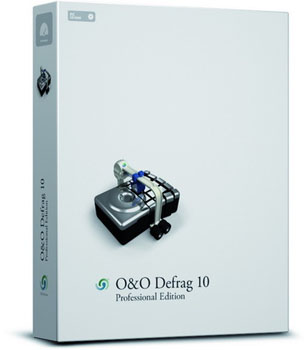
Get your O&O Disk Defrag Professional edition for free from here,to get the original license key just enter your prefix, last name, first name, email address and country and your done other fields can be skipped ,you will soon get a key which will be sent to the email that you have specified and using which you can activate the software.O&O is one of the most effective Disk Defrag utility available so dont miss this opportunity, grab it while you still can ,it may be a bit old but it is still gold .you can download the software here .

In the advent of the Chinese new year,the Chinese division of the anti virus company is giving away six month worth of kaspersky license for free.the web site is in Chinese, so here are the steps on how to acquire your key.
Step1: Click here , this page is in chinese so i used google translator you will be greeted with the main page where you have to type the mail address twice and in another dailog box u can type whatever you want after that press the big green button beside that text box.
Step2: Enter the verification code and press the button indicated in the screen shot 
Step3:Press cancel button in the pop up window 
Step4:And thats it the code will be sent to your email and it will be located in the place mentioned in the screen shot.
After obtaining the key download the chinese version of the antivirus software, cause the key doesnt work with the english version you can get it here the inter face will be in chinese but fret not you can change it to english by pressing shift+f12.grab the offer quickly and dont forget to activate you product before april 1st after that the key will expire.enjoy 6months worth of free protection folks :D.sorry of the bad ms paint job :P was in hurry.
SOURCE thanks!!!!!
GET ACRONIS TRUE IMAGE (PE) FOR FREE
On
9:21 AM
0
Responses


GET 3D MARK VANTAGE FOR FREE!!
On
8:49 PM
0
Responses

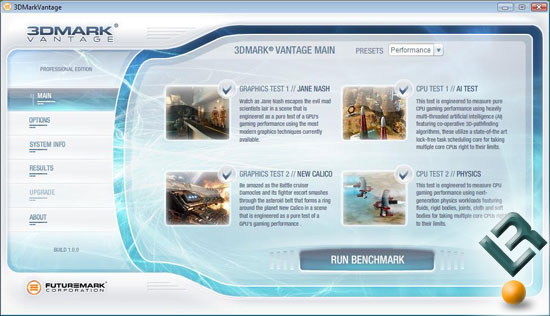


Security has been a biggest concern for PC users all around the world.In the wake of new virus attacks,spamming,phishing incidents,we are in dire need for security applications which can protect us from new threats that are mushrooming everyday.Nowadays browsing the internet without any proper security solution is like walking on a minefield blind folded,you will never know whats going to happen to you if it does it is going to be an hour of endless frustration and cursing.
Installing a cracked anti virus software will not provide full protection that your computer needs,many users who download bootlegged software are oblivious to the fact that antivirus software needs to be updated on a regular basis so that they can protect their computer from new virus attacks that are spawning almost every day,so in order to provide the security that you computer needs ,in this post i'am going to discuss about security applications that you can use without spending a dime.
AVG ANTI VIRUS:This is the most preferred free ware antivirus out there.this software detects almost any virus if it is present and new updates to the software is supplied almost every day.the main drawback is it does not detect viruses from a pen drive if any virus is found proper information regarding the virus is given to the user the inter face is also clean and uncluttered.it is not a huge resource hog and you can even schedule virus scan on dates of your choice.it is really good security solution for a home user.get it here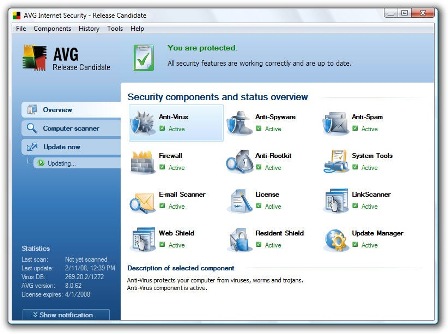
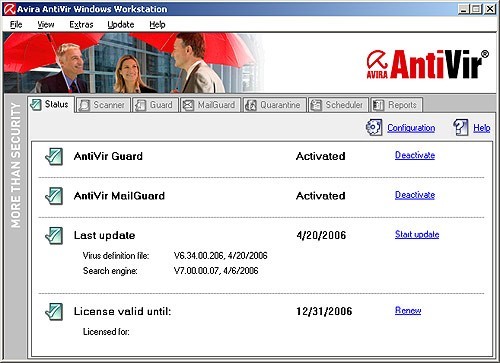
AVIRA ANTIVIR PERSONAL :This software isn't as robust as AVG but it does the job.the free ware version gives basic protection against worms,torjans and dialers and it also comes with a anti phishing filter ,the main drawback is the free ware version doesn't provide protection against spy wares.virus updates are made available periodically and resource utilization is also ok if not great.protection against root kit is also provided.get it here
AVAST HOME EDITION:Avast is one of the most feature rich antivirus software which is available for free.if you want protection for more than one computer you have to get the professional edition which costs money.avast comes with anti spyware protection, root kit protection and it even provides kernel level protection which is highly critical for an OS.on the downside avast can be really intrusive at times and can be a resource hog but it does protect your computer really well.get it here
 SPY BOT SEARCH AND DESTORY:Only a few anti virus software gives protection against spy wares,for an end to end solution spybot s&d is highly recommended it is a free ware and there is no professional edition for it .it is totally supported by donations made by satisfied users around the world.besides being a strong spyware removal tool it has this feature called tea timer which gives the user total control over start up entries, whenever a software tries to make a start up entry the tea timer immediateley warns the user ,even though this is a great feature , it becomes irritating after a while due to repeated notifications.get it here
AD-AWARE 2008:this is one of the famous anti spyware which is available.ad-aware does not provide total protection as spybot because the free version doesn't have real time protection.even though features are very limited this software provides really strong protection against spyware's.get it here

COMMODO FREE FIREWALL:If you think windows fire wall does not give you enough protection than i suggest commodo.it is simply one of the best free firewall software that is available out there.the latest commodo even comes with antivirus protection.unlike other fire wall software it is not irritating i mean you wont get notifications popping up all over your desktop space asking you whether to allow this software to run or not.resource utilization is also economical.Get it here

ZONE ALARM FREE FIREWALL:Even though it is not as effective as commodo,it provides strong protection against hackers and spy wares and guards your personal data pretty well.for a free ware zonealarm does provides it users some very basic level of protection.the main draw back is this software is a real resource hog and notifications pop up every time.get it here

HIJACK THIS:The Numero uno Root kit revealer is a community supported software.this is a power full utility which allows you to get rid of any root kits present in your computer.all you have to do is run a scan with the software after running a scan a log file will be generated.basically the log files consists of registry keys of the root kits present in your computer,so after getting the log file ,post it on hijack this community forum there experienced users will tell you what registry keys you have to delete.most of the time you have to be patient before getting any reply's and if you delete any registry keys related to your system than you will find you self in deep trouble.Get it here

At last finsihed the post :D.most of the security application that i have stated here are famous and they are known to get the job done ,so instead googling relentlessly for a pirated software just follow the given links and make your computer safe and secure from the prying hands of hackers,spammers and phishers.the list will be updated if i come across any other good security applications. so dont forget to visit again.
A GUIDE TO FREE WARE: MEDIA APPLICATIONS
On
11:21 PM
2
Responses
 In this post I’m going to discuss about the best free ware’s available on the Internet. Due to piracy the software industry is losing millions of Dollars annually, even though major IT companies have come up with several new complicated protection schemes to protect their software, somehow or the other the hackers and release groups manage to crack and release the software through torrents or warez sites.
Due to the high cost involved in buying a software, many users resort to downloading the cracked ones, for example if a user decides to buy a antivirus software if it’s too costly the user prefers to download the same through torrents or warez sites, but what many users don't know is that some software's need to be updated periodically.
For example antivirus software's needs to be up to date with the latest virus definitions so that the users can prevent themselves from new virus attacks. If a user is using cracked antivirus software they will not be able to update it hence will be prone to various attempts on their computer for their personal data . These kinds of problems can be avoided using free wares.
Free wares are software which are developed and provided to the users without any monetary gains by the respective developer or Software Company. Many Major software companies have adapted a clever way to combat piracy. Well known companies like AVG, AVAST release a freeware version of their proprietary antivirus software which has limited features and then they have this pro version which user can get by paying them.
Most of the time there is somewhat ignorable difference between a free ware and a pro version of a software. the pro version is mainly intended for corporate institutions which needs protection for more than one system. so for normal users instead going through the pain in downloading a cracked software you can get a legit version for free ,there are lots of freeware’s out there which are more than enough to full fill day to day operations performed with a computer.
Even though there are numerous free wares available throughout the net. Only few fill the need without any problems those free wares are discussed in this post.
MEDIA APPLICATIONS:Here are some free wares which gives you complete control over your song library ,with these free wares you can manage you songs and videos quite
efficiently.the free wares discussed below offer some fine options using which ,you can easily edit song name ,artist name,album art and add lyrics to a particular song.there also a wide range of playback options and device support.some even provide on the fly aduio conversion to a format of your desire.
SONG BIRD: This is a brilliant alternative to iTunes and even though it can sometimes be a bit of an resource hog with the right add-ons you can easily edit tags and fetch lyrics ,album art from the net itself .as it is based on the same engine which powered Firefox developing add ons and publishing them is a breeze .there are some really nice add-on’s like media flow which allows you to browse through album art just like cover flow in iTunes. If you already have iTunes song bird automatically detects the iTunes library and imports it .Features which were missed out in iTunes have been implemented in song bird.using songbird you can also transfer songs to your ipod from your library.you can also tune into internet radio via shoutcast.get it here

MEDIA MONKEY : This software provides wider range of options for managing huge song libraries.Media Monkey provides in depth customization of id3 tags of a particular songs and there are options for fetching song information and album art from the net itself.the free ware aslo provides some really help full audio convertion options.it comes in pro version and free version.with the proversion you get on the fly audio conversion and the burining spped is supported uptill 48x whereas in free version only 4x burining speed is supported other than that there is no diffrence between the pro and normal version.media monley offers support to a variety of add ons.get it here

FOOBAR 2000: it is a really powerful media player with loads of customization options.resource consumption is really low when compared to other players like songbird and iTunes.in order to unleash the full potential of the player you have to customize a lot.some of the basic features include full Unicode support,replay gain support,and native support for various audio formats.there are various customization options at users disposal.get it here

iTunes: this free ware is a really powerful media player with lots of options to manage song library.the earlier version of the player supported drm but the lates itunes plus version are drm free.iTunes provides some easy hassle free way of creating playtist and burning cds.eventhough audio conversion is present it is very limited.the major plus point of itunes is its clutter free interface and wide range of audio support.the iTunes store has wide range of songs and user can directly buy songs from it .the latest version even allow users to buy tv show's and movies.the main drawback of iTunes is that it consumes a lot of system resources.get it here

WINAMP: The essential media player where every user would have used it atleast one point in his/her life time.the latest winamp also comes in pro and free versions .winamp has playback support for wide variety of audio and video formats if you get the free version the burning and encoding speeds are very limited with the pro version you get burning speeds upto 48x.get it here

GOM PLAYER: GOM player is a Multimedia player with wide range support for various audio and video codecs.this players main strength lies in video play back as there are no extensive options for managing song library's.GOM Player supports formats like avi,dat,mpeg,divx,xvid,asf,wmv .the user don’t need to install any other codec’s for the player to play the said formats. it is all built in.the player is also very economical in handling system resources.get it here

VLC PLAYER: This player needs no introduction, it is pretty well known .VLC player is famous for playing almost any format let it be HD content to divx or xvid movies.it is not a resource hog,and is one of the best example of free ware .this player is mainly used for video play back.
get it here

There are lots of media applications out there.here i've rounded up a few which i have used.don't forget to visit for my next guide which is going to be based on free ware security applications.hope you find this guide helpful.
Subscribe to:
Posts (Atom)
